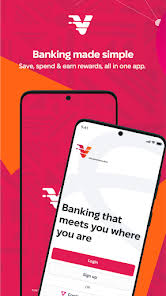
In the fast‑moving Nigerian banking landscape, online‑first banks are becoming increasingly attractive. One such player is VFD Bank, offering digital‑native banking services, low‑cost accounts and mobile apps designed for convenience. Whether you’re a salaried employee, a freelancer, or simply someone who prefers banking entirely from a phone, VFD Bank promises to simplify things.
In this review, we’ll explore VFD Bank’s account options, mobile & web banking features, fees and hidden charges, how to open and manage the account, security considerations, and ultimately whether it delivers value for Nigerians in 2025. After reading, you’ll have a clear sense of VFD Bank’s strengths and where you might need to check the fine print.
Table of Contents
What is VFD Bank
VFD Bank is a digital‑banking oriented bank in Nigeria, licensed by the Central Bank of Nigeria (CBN), offering personal and business banking services with a strong online focus. It positions itself as a modern bank built for the “digital generation” with minimal branch visits.
VFD Bank emphasises flexibility, mobile banking functionality, and competitive pricing in a space where traditional banks often carry higher cost‑structures. As a newer entrant, its agility is a plus but it also means some services may be less mature than legacy institutions.
Key Features and Account Types
Account Types
- Personal Current Account – Aimed at everyday individuals, with mobile/web access, debit card, transfers, bill pay.
- Savings/Goal Account – Some accounts allow savings features, automatic groceries grouping, and set‑aside functionality.
- Business Account – For SMEs, freelancers or small businesses wanting payment tools, merchant solutions and business banking.
Key Features
- Mobile App / Web Portal – Full functionality via app and browser: balance check, transfers, bill pay, card freeze/unfreeze.
- Low Fees – VFD promotes low‑cost banking: cheap transfers, low maintenance fees (depending on account type).
- Instant Bill Payment & Airtime Pay electricity, cable, internet, buy airtime from within the app.
- Virtual Debit Card – Issue virtual (and physical) debit cards for online shopping, linked to your VFD balance.
- Savings Goals & Budget Tools – Set aside money into “pockets”, automate deposits, track spending categories.
- Merchant Tools (for business accounts) – Accept payments, create invoices, manage clients, integrate with POS/online payment gateway (this may vary by region).
How to Open an Account With VFD Bank
Here is a step‑by‑step guide to opening an account with VFD Bank (mobile/web):
- Download the VFD Bank App from Google Play Store or Apple App Store (verify publisher).
- Open the app and choose “Open New Account” or similar.
- Select the account type (Personal Current, Savings, Business).
- Fill in your personal details: Full name, date of birth, phone number, email, address.
- Upload required KYC documents: means of ID (Driver’s licence, National ID Card, International Passport), proof of address (utility bill or tenancy agreement).
- Perform BVN verification if required (link your BVN to your account).
- Create your login credentials (username, password), set transaction PIN or biometric login.
- Fund the account with minimum required initial deposit (if any).
- Once your application is approved, your account is active and you can generate/activate your debit card, start using mobile banking and transfers.
Different account types might have slightly different onboarding flows (business accounts may require business registration documents, tax ID, etc.). Always confirm the requirements in the app before you begin.
Online & Mobile Banking: Interface, Features & Workflow
Interface
The VFD Bank mobile app features a clean dashboard: account balance displayed at top, quick actions for transfers/ bills, menu icons for cards, budgeting, savings pockets, and support. The web portal provides additional features such as statements download and detailed account settings.
Workflow Examples
- Transfer Funds: Tap Transfers, choose destination (VFD or other bank), enter amount, recipient account, narration, authenticate (PIN/biometric/OTP), confirm.
- Pay Bills: Tap Bills, choose category (Electricity, Cable, Internet), select provider, enter account/Smartcard number, amount, pay. Confirmation screen prints transaction receipt.
- Create Savings Goal: In Save or Budgets, tap Create Goal, enter target amount and date, set recurring contribution or one‑off, link funding account.
- Issue Virtual Card: In Cards, select Virtual Card, fill details (name, limit), generate card number which you can use for online purchases immediately.
- Freeze/Unfreeze Card: Under Card Settings, tap Block Card, confirm and card is instantly disabled; you can unfreeze when needed.
Budgeting Tools
VFD includes spending categories (Food, Transport, Utilities), visual graphs of spending vs budget, and alerts when you’re near your budget limits. For users who like to track finances this is a useful feature often missing in legacy banks.
Fees, Charges & Hidden Costs (Detailed Table)
While VFD Bank promotes “digital and low cost banking”, there are still fees and limits to understand. The table below summarises typical charges (always check the latest fee schedule in the app as they may change).
| Service | Typical Fee | Notes |
|---|---|---|
| Monthly maintenance (Personal) | ₦0 or minimal | Many digital banks waive this for basic accounts |
| Intra‑bank transfer (VFD to VFD) | ₦0 or low | Instant transfer |
| Inter‑bank transfer (to other Nigerian banks) | ₦20 – ₦50* | Check app for exact current rate |
| Bill payment/airtime top‑up | Often free | Some billers or networks may impose small surcharge |
| ATM withdrawal (if physical card issued) | Varies (₦200‑₦500) | If network ATM, check both VFD’s own and ATM’s pricing |
| Physical debit card issuance | ₦1,500 – ₦3,000 (example) | Virtual card may be free |
| Overdraft or loan interest (if offered) | Variable | For business/savings accounts only |
| Foreign currency/international payment | Higher; check region | For card used overseas or foreign currency spend |
*Rates may vary over time e.g., ₦25 fixed or differential by amount.
Hidden costs to watch out for:
- Transfers above a daily/monthly quota may incur higher fees.
- Using third‑party ATM machines may incur “other bank” surcharge beyond VFD’s own fee.
- If you receive frequent international transactions or carry large balances, review the bank’s foreign currency/FX exposure rules.
- Some “free” accounts may require minimum activity to maintain “fee‑free” status.
Security Measures and What You Must Do
Bank side (VFD’s measures)
- Multi‑factor authentication: login password + transaction PIN + OTP for sensitive actions.
- Biometric login support on devices with fingerprint/Face ID.
- Secure mobile app with encryption, session timeout, device binding.
- Fraud monitoring systems detecting unusual patterns (multiple failed logins, unusual high transfers).
User responsibilities
- Use a strong, unique password, don’t reuse across apps.
- Don’t share your transaction PIN or OTP with anyone—even if they claim they are bank staff.
- Enable biometric login if your device allows.
- Regularly update the app and your phone’s OS to avoid vulnerabilities.
- Monitor account activity daily; set alerts for large transfers or unusual devices.
- Use the “Freeze Card” or “Block” feature instantly if you lose your physical debit card.
- Avoid banking on public Wi‑Fi; use mobile data or secure networks.
- Log out from web banking when done and don’t save credentials on shared computers.
By combining the bank’s protections with your own habits, you can significantly reduce risk of fraud or unauthorized access.
Pros and Cons
Pros
- Digital‑first banking: open account and manage from your phone or browser — minimal branch visits.
- Competitive fee structure for many everyday transactions (especially within the ecosystem).
- Savings/goal tools and budget tracking built into the app.
- Modern features: virtual cards, card freeze, easy transfers.
- Good for freelancers, digital workers and people seeking a clean online banking experience.
Cons
- Physical branch network may be limited compared to legacy banks — if you need high touch service or large cash operations, this may matter.
- Some fees may apply for services you expect to be free (ATM withdrawals, transfers above quota) — always check.
- Certain services (loans, foreign currency operations) may be less robust or more restricted than major banks.
- Newer bank structure means possibly fewer bespoke high‑value banking services or legacy support for large‑scale corporate clients.
Expert Tips for Getting the Most from VFD Bank
✅ Tip 1: Use the virtual card for online shopping review its terms, set a low limit for security.
✅ Tip 2: Automate savings/goals use the “Pockets” or “Goals” feature to save for specific needs rather than leaving funds idle.
✅ Tip 3: If you anticipate frequent transfers, compare VFD’s inter‑bank fee in the app each month with competitor banks; switch transfer channel if you find better pricing.
✅ Tip 4: For physical cash businesses, ensure you understand ATM withdrawal limits and alternative options (cash‑out via POS agent networks) so logistics don’t surprise you.
✅ Tip 5: Regularly update your contact details (phone number, email) in the app to ensure you receive transaction alerts and OTPs — outdated contact info is a common vulnerability.
FAQs
Q1: Can I open a VFD Bank account entirely online?
A: Yes, VFD allows online account opening via its mobile app or web portal, including KYC upload and BVN verification without branch visits for most personal accounts.
Q2: What is the minimum balance required in VFD Bank?
A: For the basic personal account, VFD often offers zero minimum balance to keep the account active. However, specific account tiers may require minimum balances or minimum monthly activity check the account terms in the app.
Q3: How long does inter‑bank transfer via VFD take?
A: Transfers within VFD to another VFD account are instant. Transfers to other banks via Nigeria’s NIP system generally complete within seconds to a few minutes, though delays may occur due to recipient bank or network congestion.
Q4: Does VFD Bank provide savings interest?
A: Yes, certain savings or goal accounts may offer interest or incentives. Check the product info for the current rate and eligibility.
Q5: What happens if I forget my transaction PIN?
A: Use the “Forgot PIN” option in the app or contact VFD customer support. You may be required to verify identity and account details before resetting.
Conclusion
VFD Bank is a strong option for Nigerians seeking modern, mobile‑first banking. It offers much of the functionality of big banks but with a simpler, cleaner digital interface and competitive pricing for regular digital transactions. If you’re a salaried employee, a freelancer or someone who handles most of your banking online, VFD is definitely worth considering.
However, if your banking needs include large cash operations, frequent foreign currency dealings or high‑touch branch service, you may still need to maintain a legacy bank relationship. That said, for many everyday banking tasks in Nigeria today, VFD Bank offers one of the most compelling online banks.