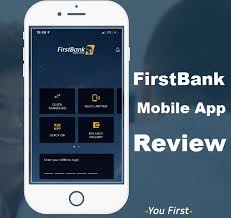
FirstBank’s FirstMobile app turns your phone into a pocket branch: check balances, pay bills, buy airtime, open accounts, and move money all without visiting a branch. Whether you’re a new FirstBank customer or switching from another bank, this guide walks you through everything you need to download, register, secure, and use FirstMobile for everyday banking in Nigeria and beyond.
In this article you’ll get: a clear, step-by-step registration walkthrough (including BVN notes), exact steps for making transfers to FirstBank accounts and other banks, a feature comparison table, security best practices, common problems and fixes, and a helpful FAQ. Information is verified against FirstBank’s mobile banking resources and official app pages.
Table of Contents
. What FirstMobile Does (Quick Feature List)
- View account balances and mini statements.
- Transfer funds between your FirstBank accounts.
- Transfer to other FirstBank customers and to other banks (NIP/Interbank).
- Pay bills (DSTV, electricity, WAEC, school fees where supported).
- Buy airtime & data, pin reset, card blocking/activation.
- Open new savings/transaction accounts (where available).
- Manage beneficiaries, schedule payments, and set favourites.
FirstMobile is the official FirstBank mobile banking client keep it updated from official stores.
System Requirements & Where to Download
Where to download
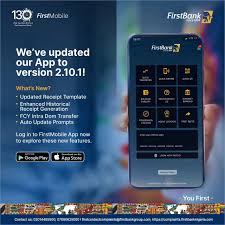
- Android: Google Play Store search FirstMobile (FirstBank).
- iOS: Apple App Store FirstMobile App by FirstBank.
System requirements (typical)
- Android 8.0+ recommended (phone dependent).
- iOS 13+ for newer app builds.
- Stable internet for registration (Wi-Fi or mobile data).
Always download the app from the official Play Store or App Store and check the publisher is First Bank of Nigeria Ltd.
How to Register on FirstMobile. Step-by-Step
There are two common enrolment flows: (A) Register using an existing FirstBank account (account-number flow) and (B) Self-registration using a debit card (card flow). Some customers may also be able to register using BVN/biometric flows depending on FirstBank updates.
Note: Bank systems change if FirstBank introduces a BVN-only or facial verification flow in your region, follow the in-app prompts. Always verify requirements on the app or FirstBank support pages.
A. Register with Your FirstBank Account (recommended if you already have account)
- Download FirstMobile from Play Store / App Store.
- Open the app and tap “Register / Enrol” (or similar).
- Choose “Register with Account Number”.
- Enter your FirstBank account number and your debit card details when prompted (card number, expiry & CVV) if asked. Some flows only ask account number + BVN.
- Create a username (often your email or phone) and a strong password.
- Set up an mPIN a short numeric PIN used to authorize quick transfers (memorize it; do not share).
- Optionally enable biometric login (fingerprint/Face ID).
- Confirm via OTP sent to your registered mobile number.
- Login and go to Settings to add more security (biometric, change mPIN).
B. Register Using Your Debit Card (for new customers/ cardholders)
- Download FirstMobile (First Bank App) Review and choose “Register with Card”.
- Enter card number, expiry and CVV, and the phone number linked to the card.
- Verify OTP sent to your phone.
- Create mPIN and login.
- Link account or open a new account if the app offers that option.
If registration fails: visit a branch with ID and BVN, or contact FirstBank support (hotline on official site).
4. How to Make Transfers (FirstBank → FirstBank & Interbank)
Below are the standard in-app flows (labels may vary slightly with app updates).
A. Transfer to Another FirstBank Account (Intra-bank)
- Login → tap Transfers.
- Select “To FirstBank Account” (or “Transfer to Other FirstBank Account”).
- Enter recipient account number (10 digits) the name usually auto-fills for confirmation.
- Enter amount and narration (optional).
- Choose debit account (if you have multiple).
- Authenticate with your mPIN or biometric.
- Confirm transaction completes instantly.
B. Transfer to Other Banks (Interbank NIP / RTGS/NEFT depending on amount)
- Login → Transfers → To Other Banks.
- Choose the beneficiary bank (use the drop-down or bank code search).
- Enter account number and amount.
- Add narration/reference.
- Select debit account.
- Authenticate using mPIN/biometric + OTP if requested.
- Confirm. Interbank transfers usually use NIBSS Instant Payment (NIP) — processed in seconds to minutes depending on recipient bank. For very large transfers, an RTGS flow may be used and could take longer.
C. Save Beneficiaries (Recommended)
- After a successful transfer, choose Save as beneficiary to avoid re-typing details.
- You may need to activate new beneficiaries (OTP or waiting period) for security.
Transfer Fees, Limits & Processing Times (What to expect)
Important: Banks update fees and limits. Always verify in the app or on FirstBank’s official fee schedule before transacting. The table below shows typical fee types and what you should check in-app.
| Transaction Type | Typical Processing Time | Typical Fee (check in app) |
|---|---|---|
| FirstBank → FirstBank (intra-bank) | Instant | Often free or minimal |
| FirstBank → Other Banks (NIP) | Instant to few minutes | Small fixed fee per transaction (varies by amount) |
| RTGS (high value) | Minutes to hours | Higher fee; may apply for amounts above a threshold |
| Scheduled payments | As scheduled | May be same as transfer fee |
| Card-to-account / Pay bills | Instant | Varies per biller |
How to check exact fees & limits
- Open FirstMobile → Menu → Fees & Charges (or support/FAQ).
- Check transfer limits under account settings or transfer screen (daily and per-transaction limits).
Because charges and thresholds can change, always confirm the exact numbers on the app before confirming big transactions.
Hands-on Tips: Speed, Limits, & Recipient Management
- Save beneficiaries after first transfer; this avoids errors and speeds future transfers.
- Name autofill: when you type an account number, FirstMobile often shows the beneficiary’s name always confirm before sending.
- Daily limits: you can raise limits by visiting a branch or contacting support (KYC/BVN verification may be required).
- Foreign transfers: use FirstBank’s bank branch or specific international transfer product FirstMobile usually handles local/intrastate payments only.
- Recurring payments: schedule recurring transfers or bill payments to avoid missed fees and late charges.
Security: Best Practices & How FirstBank Protects You
What FirstBank does
- Uses mPIN, OTP, and biometric authentication for sensitive actions.
- App updates and store listings are managed via official FirstBank channels.
User security checklist
- Only download from official app stores.
- Never share your mPIN or OTP with anyone (FirstBank will never ask you for it).
- Enable biometric login (fingerprint / Face ID) for convenience and safety.
- Use strong password for your username and change periodically.
- Keep phone OS updated and avoid rooting/jailbreaking devices.
- Check app permissions don’t allow excessive permissions (camera/mic unless needed).
- Log out if you suspect your device is compromised.
- Report lost cards and block via the app immediately if available.
If you suspect fraud
- Immediately call FirstBank customer care (number on the official site) and block your card via the app if possible.
Troubleshooting. Common Issues & Fixes
| Problem | Likely Cause | Quick Fix |
|---|---|---|
| Unable to register | Wrong account info, network or BVN mismatch | Use correct account/card details; ensure registered phone number; try again on stable network |
| OTP not received | Network or SMS gateway delay, wrong phone number | Ensure the phone number on record is correct; contact support if delay >10 minutes |
| Transfer fails but debited | System timeout or bank clearing delay | Check transaction history; if debited without credit, contact FirstBank with transaction ref |
| App crashes | Old app version or OS issue | Update app, clear app cache, restart phone |
| Biometric login not working | OS/permission issue | Check device settings and app permissions; re-register biometrics in app |
If a problem persists, use FirstBank support channels or visit a branch with your ID.
Pros & Cons. Quick Comparison Table
| Pros | Cons |
|---|---|
| Clean, official mobile interface for most everyday banking needs. | Feature names and flows may change between app updates, some learning curve. |
| Fast intra-bank transfers and integration with FirstBank services. | Interbank fees/limits are subject to change, check in app. |
| Strong authentication (mPIN, OTP, biometrics). | Not all international transfer options are available in app (branch required). |
| Supports bill payments, card management, and deposits. | App size and updates may require periodic storage and data use. |
FAQs
Q1. Can I register on FirstMobile without BVN?
A: You can often register using your account number and debit card; however, some features and higher limits require BVN linking for KYC. If you don’t have BVN, visit a branch to complete KYC.
Q2. How do I link my BVN to FirstMobile?
A: BVN is linked at account creation or via branch. If your BVN isn’t linked, contact FirstBank support or visit a branch to update BVN; some in-app flows allow BVN verification.
Q3t. My transfer shows ‘pending’ what should I do?
A: Pending interbank transfers usually resolve in minutes. If pending after 24 hours, contact FirstBank with the transaction reference.
Q4. How do I increase my daily transfer limit?
A: Limits are set for security. Visit a branch with ID/BVN or contact customer care to request a limit increase; additional verification may be required.
Q5. Can I block my FirstBank debit card inside the app?
A: Many modern versions of FirstMobile provide card control (block/unblock). If your version lacks it, call customer support immediately to block the card.
Q6. Is FirstMobile free to download?
A: Yes, downloading is free. Transaction fees may apply depending on transfer type; check the app’s “Fees & Charges” section.
Conclusion
FirstMobile is FirstBank’s full-feature mobile client that handles the majority of daily banking needs: transfers, bill payments, card management and balance checks. It’s ideal for customers who prefer fast, branchless banking provided you follow security best practices (never share mPIN/OTP and always download from official stores). For large or international transfers, visit a branch or contact support to confirm the correct product to use. always check FirstMobile’s in-app Fees & Support pages for any updates.