GTBank’s mobile banking experience is delivered through GTWorld the bank’s flagship mobile app for personal and business customers. Over the past few years GTWorld has become one of Nigeria’s most-used banking apps because it bundles account opening, transfers, bills, card management and self-service features into a single interface. For students, commuters, and busy professionals who want to manage their money from a phone, GTWorld promises speed and modern UX but how does it perform in real life?.
Table of Contents
1. What Is GTWorld and Who Should Use It
GTWorld is Guaranty Trust Bank’s (GTBank) mobile banking application that lets customers open accounts, transfer funds, pay bills, buy airtime, manage cards, and access self-service functions from a smartphone. The app targets personal and small-business customers who need an easy-to-use banking app with modern features like biometric login and quick account opening via USSD link-ins. GTBank also publishes help videos and guides to support features like transfers and account opening.
Who should use it?
- Nigerians who already bank with GTBank and want mobile-first convenience.
- New customers who want to open an account without visiting a branch.
- Small business owners needing quick payments, salary transfers, and POS integration.
- Zenith Bank Mobile App Review, Step-by-Step Registration Guide
- Access More App Review, How to Use and Fix Common Issues
- GTBank (GTWorld) Mobile App Review, Features, Pros & Cons
- How to Check Your Account Balance Without Internet + Essential Bank Shortcuts (Nigeria)
- How to Link Your BVN to Any Bank Account, Get Your Bank Statement on Mobile Apps, Recover Your Account Number Without Visiting a Branch
2. Key Features Overview
Below are the main features most users care about, explained simply:
- Instant account opening GTBank supports instant account creation using USSD (7370#) and in-app flows that let you start banking quickly.
- Transfers Send money to GTBank accounts, other Nigerian banks, phone-number transfers and scheduled transfers. Help videos show step-by-step transfers on GTWorld.
- Bills & Payments Pay electricity, cable, TV, subscriptions, school fees and taxes from the app.
- Card Management View card details, block/unblock cards, request replacement cards and (where available) create virtual cards for secure online payments.
- Biometric login Login with fingerprint or face recognition to speed access and enhance security.
- Account insights Transaction history, mini statements, export statements for a date range.
- Fundraising & Savings Wallets, savings goals, and in-app product offers (subject to GTBank product availability).
- Business features For business customers: salary payments, bulk transfers, POS & merchant integrations.
3. How to Download & Register (Step-by-step)
Note: steps may vary slightly by Android/iOS version or GTBank updates. These steps reflect the standard flow in late 2025.
A. Download the app
- Open Google Play Store (Android) or Apple App Store (iOS).
- Search “GTWorld” or “GTBank GTWorld” and install the official app published by Guaranty Trust Bank.
- Allow required permissions (storage, camera for KYC photo, biometric if you want fingerprint/face login).
B. New account (if you don’t already have one)
You can open a GTBank account instantly in two ways:
Option 1. USSD instant account (no internet required)
- Dial
*737*0#and follow the prompts to create an account in minutes; you’ll get account details via SMS. GTBank actively supports this USSD flow for instant onboarding.
Option 2. In-app registration (recommended for KYC & features)
- Open GTWorld → Create Account.
- Provide full name, phone number, email, and a valid ID (national ID, international passport, or driver’s license).
- Capture a live selfie (for KYC).
- Wait for verification (usually near-instant or a few hours depending on documentation).
C. Login & set up
- After verification, create a secure 4/6-digit PIN (or password depending on the flow).
- Enable biometric login (fingerprint/FaceID) on supported devices for faster access.
D. Fund your account
- Fund via bank transfer, card, or use the GTBank USSD funding options. Help videos show funding flows in the app.
4. Security: How GTWorld Protects Your Account
GTWorld combines multiple controls to protect users:
- Biometrics (fingerprint/face) faster and more secure than PIN-only logins.
- One-Time Passwords (OTP) used for high-risk actions like adding beneficiaries and large transfers.
- Transaction PIN a separate PIN for authorizing transfers and card actions.
- Session timeouts & device binding prevents unauthorized long sessions and requires revalidation when a new device logs in.
- In-app card controls block/unblock card instantly to reduce fraud attack surface.
Practical security tips: never share OTPs or PINs; enable biometrics only on your personal device; use official app stores to download the app.
5. Fees & Charges (What to Expect)
GTBank’s fee schedule can change, so always confirm the live fees in the app or on GTBank’s official site. Below are common fee categories customers should check:
- Inter-bank transfer fees some transfers to other banks may attract a flat fee (or be free during promos).
- Same-bank transfers usually free or cheaper than inter-bank transfers.
- Card issuance & replacement fees physical card issuance or replacement can attract charges. See card product pages for specifics.
- Third-party biller charges some bill payments may include service fees set by the biller.
- USSD charges certain USSD transactions may be charged by your network or bank (rare for basic account opening).
Recommendation: Check the “Fees and Charges” section in GTWorld or GTBank’s official website before completing large or repeated transactions.
6. Performance & UX: Real-world Experience
Speed & Stability
- GTWorld generally loads quickly on modern Android and iOS devices. Transfers and bill payments are completed in under a minute in most cases. Help video documentation suggests GTBank focuses on streamlined flows for transfers and account opening.
Design & Navigation
- The app uses a dashboard-first layout with big action buttons (Send, Pay, Request), making it friendly for first-time users. Card actions and recent transactions are accessible with one or two taps.
Reliability Notes
- As with any banking app, occasional maintenance windows or network-related delays can occur. If you see errors, try app update, logout-login, or confirm backend maintenance notices from GTBank’s help centre.
7. Common Issues & How to Fix Them
Below are common problems users report and quick fixes:
- App crashes on open
- Fix: Update the app from Play/App Store → clear cache (Android) → restart phone. If still crashing, uninstall and reinstall.
- Cannot receive OTP
- Fix: Check network, restart phone, ensure SMS inbox not full, confirm correct phone number registered. Contact GTBank support if OTP still fails.
- Biometric login not working
- Fix: Confirm biometric enabled in device settings and in-app settings. Re-enroll fingerprint/face if necessary.
- Transfer failed but money debited
- Fix: Wait a few minutes and check transaction history. If no reversal, contact GTBank support with transaction reference. GTBank’s help centre and videos provide transfer troubleshooting steps.
- Account temporarily locked after many PIN attempts
- Fix: Use password recovery in the app or contact GTBank support to unlock and re-verify identity.
Support channels: GTBank provides help videos and a help centre; use in-app chat or official social channels for follow-up.
8. Quick Comparison Table, GTWorld vs Typical Competitors
| Feature | GTWorld (GTBank) | Typical Nigerian Challenger Bank App |
|---|---|---|
| Instant account opening (USSD) | Yes (7370# supported). | Some, but varies by bank |
| Biometric login | Yes (Face/Fingerprint). | Many apps support biometrics |
| Virtual/temporary cards | Available on some GT products (check app) | Increasingly common |
| Business / bulk pay | Available (business module) | Varies; many now support |
| Help resources (videos) | Official help videos available. | Varies; some have detailed docs |
| App stability | High for modern devices | Varies by bank & updates |
| Fee transparency | Fee info in app/website; check card pages. | Varies |
9. Pros and Cons/ Summary
Pros
- Fast onboarding USSD option for instant account creation.
- Rich feature set (cards, bills, transfers, business tools).
- Biometric login for usability and security.
- Official help videos and guides to reduce user friction.
Cons
- Fees vary by transaction type always confirm before large transfers.
- Occasional maintenance or connectivity delays.
- Some advanced features (e.g., certain virtual card types or merchant services) may need additional activation or eligibility checks.
10. Expert Tips & Best Practices
- Enable biometrics (fingerprint/face) quicker and safer than using only a PIN.
- Use virtual cards for online shopping where available, a virtual/temporary card reduces fraud exposure.
- Record transaction references if a transfer fails, you’ll need the reference for support.
- Check official docs GTBank’s help videos are practical for learning transfers and funding flows.
- Keep app updated updates include security patches and UX improvements.
- Avoid public Wi-Fi for banking unless you’re on a trusted VPN.
11. Frequently Asked Questions (FAQs)
Q1: How do I open a GTBank account without visiting a branch?
A: Dial *737*0# for an instant USSD account or download GTWorld and follow the in-app registration for KYC and a richer experience. GTBank documents this flow in their help videos.
Q2: Can I use fingerprint or face to log in to GTWorld?
A: Yes. GTWorld supports biometric login on supported devices; enable it in app settings after initial registration.
Q3: How do I create a virtual card in GTWorld?
A: Virtual card creation (where available) appears under card management. If you don’t see it, check product eligibility or request a virtual card via customer support or branch. For specific card products, see GTBank’s card product pages.
Q4: Why didn’t I get my OTP?
A: Ensure your phone has signal, check the correct number is registered, and that your SMS inbox isn’t full. If it persists, use the in-app support or GTBank help centre.
Q5: Is GTWorld safe for business salary payments?
A: Yes. GTWorld supports bulk and salary payment modules for business customers, but confirm daily limits and approval workflows with your account manager.
12. Conclusion
GTWorld is a mature mobile banking app with the features most Nigerians need: instant account opening (via USSD), transfers, bills, biometric login, card controls and business payment options. Official help videos and GTBank’s documentation make onboarding and common tasks easier for users. While fees and occasional maintenance are realities of any bank app, GTWorld’s performance and breadth of features make it a solid choice for personal and small-business banking in Nigeria. always confirm pricing and feature availability directly in the app or on GTBank’s official website.
-
Zenith Bank Mobile App Review, Step-by-Step Registration Guide
Zenith Bank’s mobile app, Zenith Mobile is one of Nigeria’s most widely used bank apps for personal and SME customers. It lets you open/manage accounts, transfer money, pay bills, buy airtime, scan QR codes, and authenticate transactions with PINs or biometrics. Over the last few years the app has received regular updates to add convenience…
-
Access More App Review, How to Use and Fix Common Issues
Access More is Access Bank’s consumer-facing mobile banking app that brings core banking account opening, transfers, card management, bill payments, airtime, QR payments and more into a single smartphone interface. Since its rollout and rebrand to unify Access and Diamond Bank digital services, Access More aims to be a one-stop app for retail customers who…
-
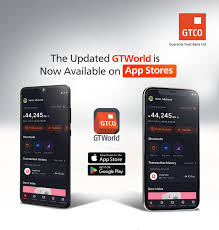
GTBank (GTWorld) Mobile App Review, Features, Pros & Cons
GTBank’s mobile banking experience is delivered through GTWorld the bank’s flagship mobile app for personal and business customers. Over the past few years GTWorld has become one of Nigeria’s most-used banking apps because it bundles account opening, transfers, bills, card management and self-service features into a single interface. For students, commuters, and busy professionals who…